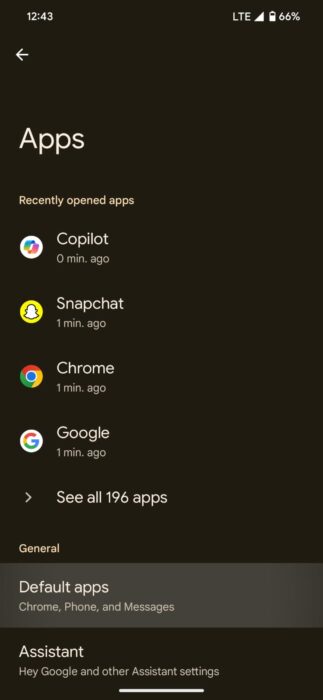
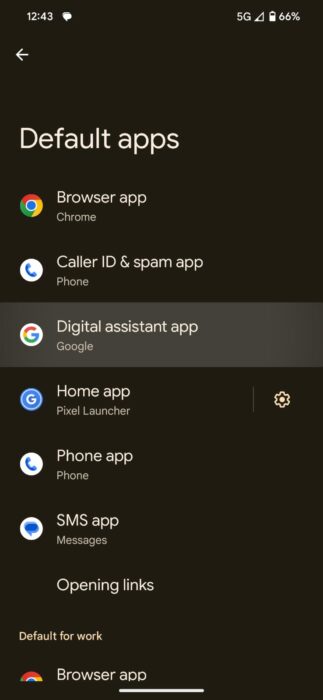
Generative AI chatbots have been the headlines over the past few years, helping users in various workflows. However, perhaps the best implementation of these AI chatbots is in the digital assistant industry, which has seen limited development. Despite Google’s recent introduction ofGeminias areplacementfor Google Assistant, the AI still lacks various capabilities. Alternatively, users can now set Microsoft’s Copilot as their default voice assistant. Here’s how.
Set Microsoft Copilot as the default voice assistant
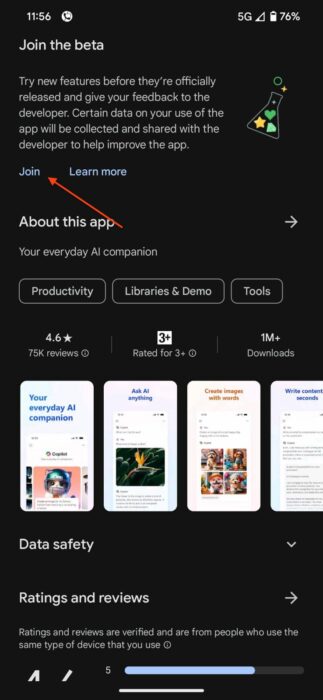
Before diving into the explanation, it’s crucial to note that this feature is still in the early beta stages and may lack some functionalities (more details below):
What Can You Do with Copilot?
Copilot is perhaps the most complete AI chatbot, considering it provides free access to GPT-4 and DALL-E. Users can leverage the chatbot in various workflows, including writing and refining code for efficiency, redesigning home or office spaces, or even planning holidays.
Moreover, Microsoft has recently introduced plugin support for Copilot. This enables the chatbot to prepare a dish based on specific dietary requirements, search for real-time flight prices, provide restaurant recommendations, or even create songs.

Limitations of Copilot as a Voice Assistant
In its current beta stage, Copilot opens its main activity page instead of a floating UI, which might seem a bit unconventional. Additionally, the AI does not automatically respond to voice commands, requiring users to either tap the microphone icon or type out their queries.
However, it’s essential to note that Microsoft is actively working on both of these features, and they should be ready when the stable version rolls out. Furthermore, Mishaal Rahman has also pointed out that Microsoft could be working on an API that captures screen content and provides insights similar to Gemini.