Saving the game in Inzoi is vital as it ensures your progress is securely stored, allowing you to continue seamlessly at any time.
Inzoi, the upcoming life-simulation game marks its much-anticipated early access launch on July 07, 2025, for PC with a console release planned after the early access period. Since character creation and home building are crucial parts of Inzoi, failing to save your progress could result in losing all character and building models, wasting your creativity and efforts. This makes saving the game crucial, especially during your creation.

Developed by inZOI Studio using Unreal Engine 5, Inzoi allows players to shape the lifestyle of Zois (in-game characters). While resembling Electronic Arts’ Sims in many aspects, KRAFTON’s Inzoi takes the life sim to a whole new level with enhanced graphics, intricate detailing, and AI integration. Learn how to save the game and make your progress count in Inzoi.
Related: Inzoi:How To Fast Travel
How To Save Game in Inzoi
Much like any other game, saving is essential in Inzoi, as it allows you to retain your progress. This can be highly beneficial, especially in case of sudden power outages, game crashes, or server issues. Saving your game in advance allows you to control your point of return and retry major decisions, letting you explore different possibilities.
To save the game manually, open theGame Menu. Select theSaveoption and create a save file. That’s it, manually saving the game at regular intervals is an effective way to protect your progress.

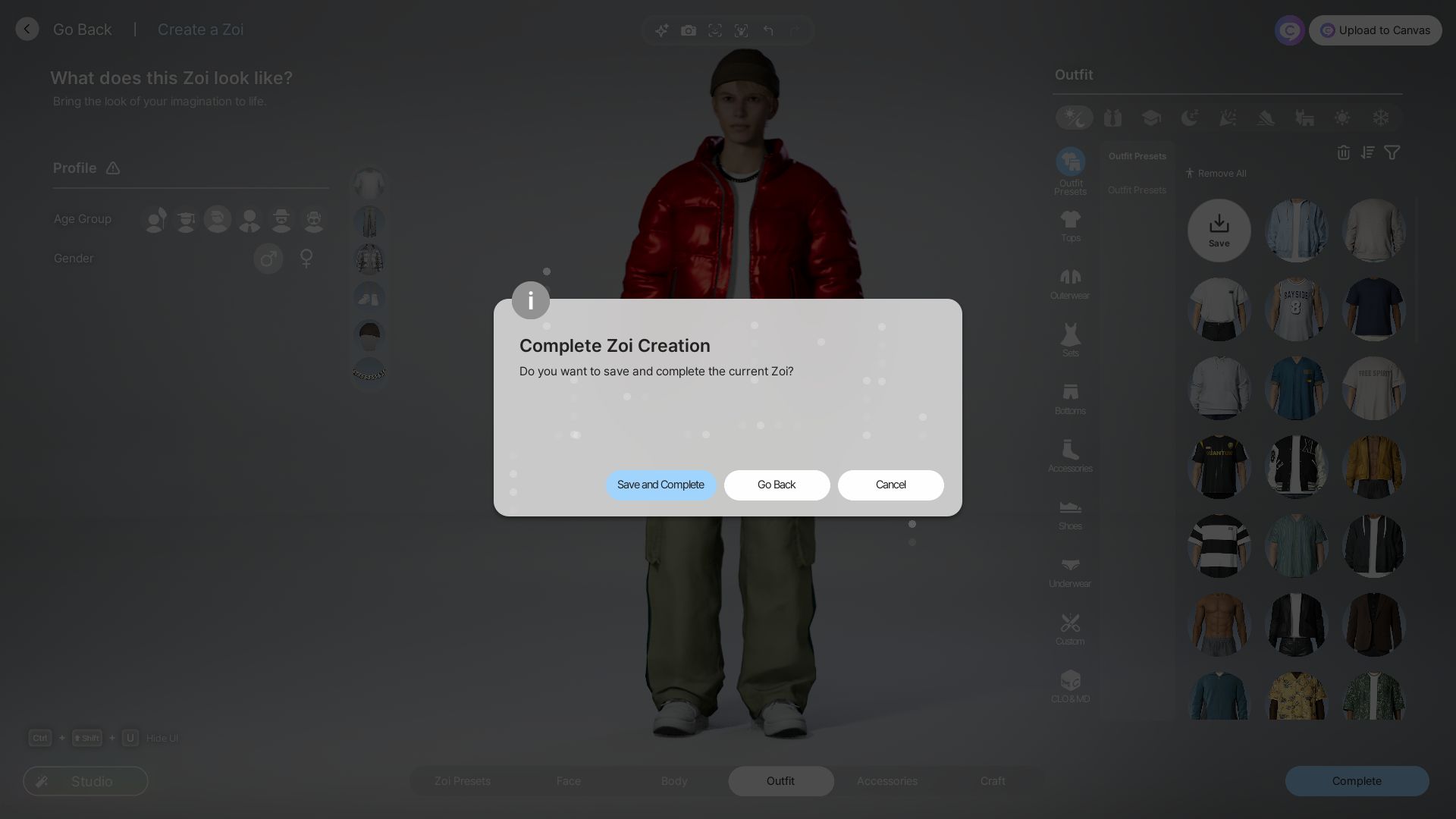
Additionally, you can save your character and build models while on the creation menu by pressing the Go Back option. This allows you to save your creations before leaving the menu. Proceeding with the Complete option for character models will place them into Presets, allowing you to utilize them effectively in the future.
Read More:5 Reasons To Be Excited for Inzoi
Does Inzoi Have Autosave?
If you don’t want to manually save every time by going to the menu, luckily, Inzoi also features an autosave option. You can enable or disable the autosave option from theGameplaytab in theGame Options.
Enabling autosave ensures your progress is saved at set intervals. You can choose the autosave interval between the options of 5,10,15 and 30 minutes based on your preference. Additionally, you can load or delete your save files from the Game Menu.

Looking For More?
Thank you for reading the article. We provide the latest news and create guides for Baldur’s Gate 3, Starfield, ARK Survival Ascended, and more. Also, watch Deltia play games onTwitchor visit hisYouTubechannel!