Back in 2000, Oracle GUI tools were almost non-existent.
And multi-database GUIs with Oracle?
“What’s that?”
But fast-forward to 2025, it’s something database professionals can’t live without. It just makes sense because database management becomes easier and faster. dbForge Edge is a winner in this area, and it just got better. Meet the new version with a huge update for Oracle fans.
Quick Overview of dbForge Edge
dbForge Edge is a multidatabase solution from Devart. It is a suite ofdatabase IDEtools with top-notch features for SQL Server, MySQL, PostgreSQL, and Oracle.
It already packs a punch when it comes to features. But in the latest release, the Oracle GUI raises the bar by leveling up 7 features. Let’s dive into the following topics:
The 7 Key Features of dbForge Edge Updates for Oracle GUI
This covers improvements in SQL documents and coding features, Database Explorer, and more. Since dbForge Edge includes four powerful IDEs for different database systems, we’ll showcase the updated features using screenshots from dbForge Studio for Oracle as an example. Check them out below.
1. Enhanced SQL Document Features
In updated dbForge Edge, you will get more handy keyboard shortcuts:
Next, syntax highlighting improved for INSERT statements. Try moving from one value to another in the VALUES clause and it will highlight the corresponding column in the columns list.
2. Smarter Code Completion
Completing code error-free is a hallmark of dbForge tools. But this recent Oracle GUI upgrade extends this more by adding the following:
3. Improved Database Explorer
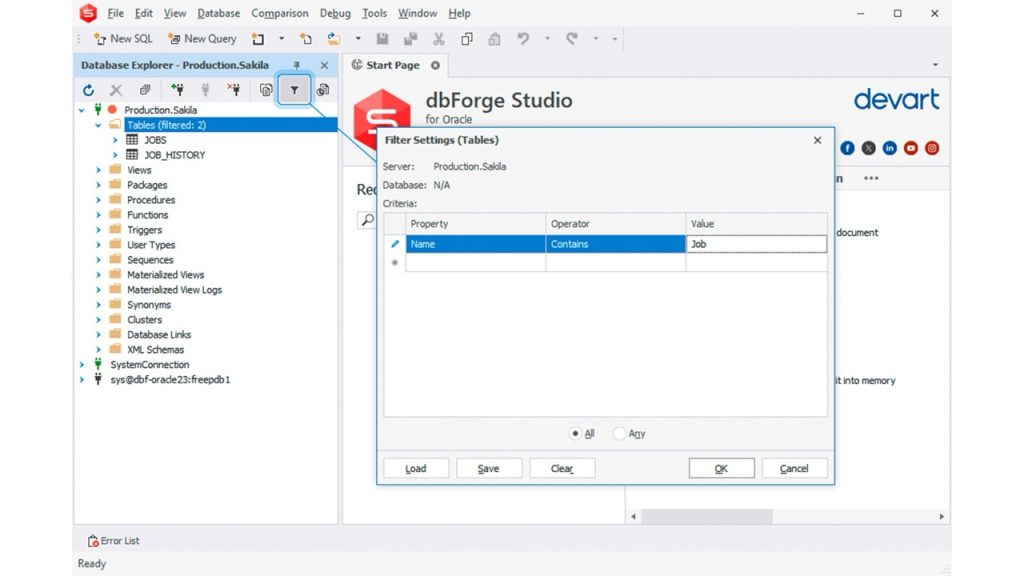
Do you have 50 tables or more? Finding one or two can be cumbersome. This Oracle GUI enhances the filtering of database objects by saving your frequently used filters to a file.
4. Advanced Data and Schema Comparison
Data Compare now has a newIgnore computed columnsin theAuto Mappingsection of theOptionspage.
There’s also a newSave Command Lineoption in the Comparison Wizard. This will make data comparison more convenient. And if you’re familiar with the CLI, there are new customization options in the settings.
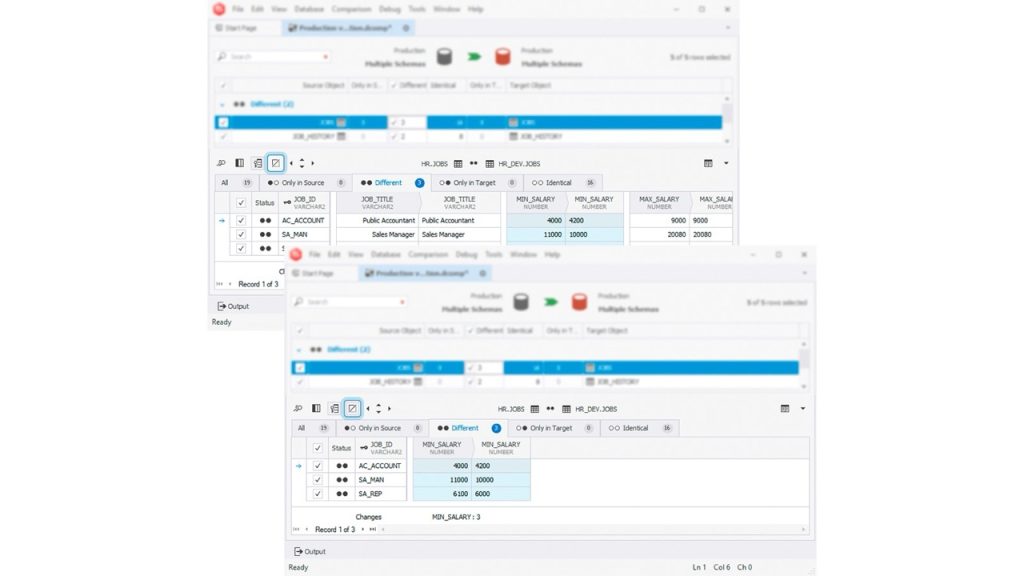
Then, in the data differences grid, there’s a new Hide empty columns button, and its job is what it says.
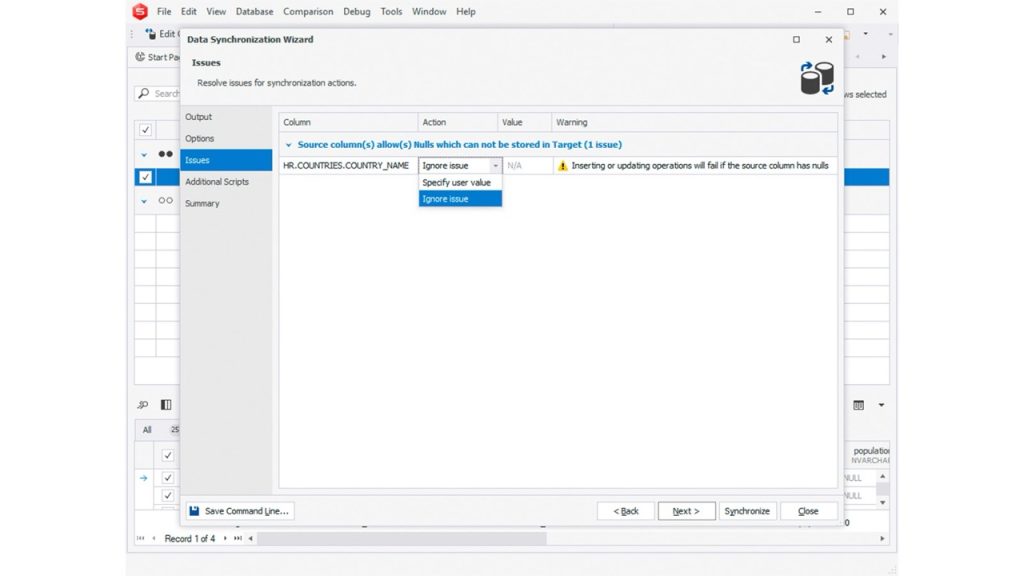
Added also is a new page in the data comparison wizard calledIssues. Configure the NULL/NOT NULL conflicts that may occur during sync on this new page.
Finally, you can now Ignore internal spaces.
For Schema Comparison, there’s a new checkbox namedShow Ignored Differencesfound inOptions>Schema Comparison>General. This will highlight possible differences in DDL.
There are also new options in the Schema Compare CLI for recurring comparisons that you’re able to automate.
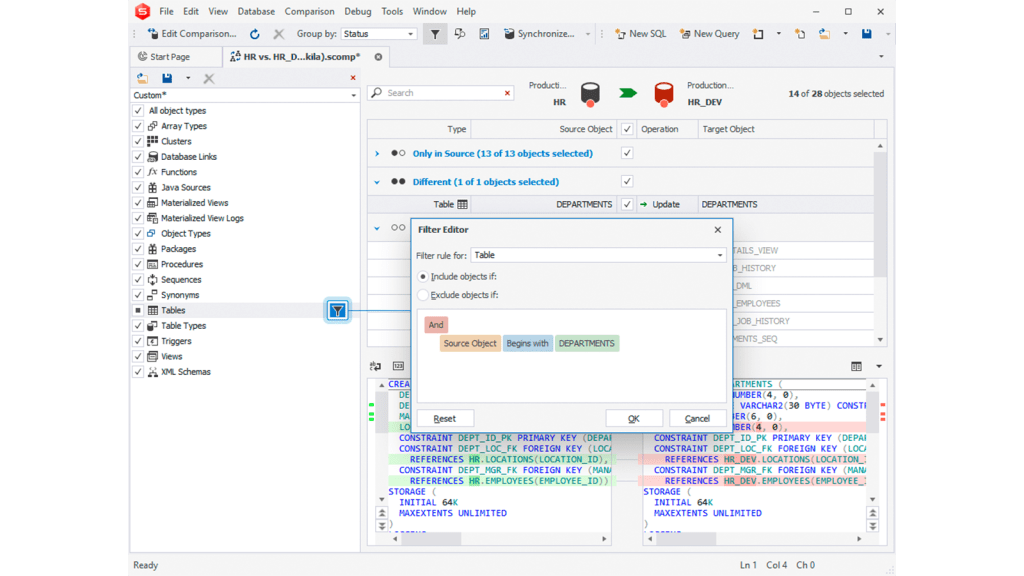
Then, there’s a new cool visualObject Filter, which allows excluding objects from the synchronization according to specified custom criteria.
Finally, you can navigate from one schema difference to another with a new shortcut keyAlt+Down Arrow.
5. Database Diagrams and Visual Enhancements
The visual database diagramming of the Oracle IDE improves by aligning it to the visual design of its MySQL and SQL Server siblings for the same feature.
Also added areSelect All RelationsandClear Waypoints– all copied from its MySQL and SQL Server siblings.
6. Data Generation and Reporting Tools
The Data Generator is cooler than ever with the JSON generator. Check it out below:
Even better, you get new keyboard shortcuts for filtering out table and column names.
You also get a new option toappend a timestamp to the name of the filefor saving your data generation options.
Meanwhile, theChart Designergets a new facelift by making it easy to the eyes. Additionally, theData Report Wizardis now adapted for 4K resolution.
7. Miscellaneous Enhancements
First, Tabs and Windows options now includeTab layout,Show tabs in multiple rows, andClose tabs with middle click.
You can find this inOptions>Environment>Tabs and Windows. Also in this area, you can specify the order of opening new tabs. So, if you like toinsert new tabs to the right of the existing tabs, it’s a checkbox option for you.
Next, if you’re a fan of the Query Profiler like me, you will see display improvements for theestimated and actual query execution plans.
Then, the Query History now has an improved toolbar for clearing and range selection. you may also export the history to a CSV file from the toolbar.
There’s more in the list of improvements inside dbForge Edge. Check out to see what’s new for theOracle GUI.
Benefits of Upgrading to dbForge Edge
Latest dbForge Edge is a huge update. Think again if you stay with your current version. Or if you don’t have dbForge Edge yet, why would you change your tool set?
This Oracle GUI will feel like 2025, and not older; not a dusty toolbox but a modern workstation. Developers like me will highly appreciate the coding experience and productivity boosts as a game-changer.
Conclusion
In summary, updated dbForge Edge further improves productivity for developers, administrators, database designers, analysts, and DevOps engineers. But don’t take my word for it.Download dbForge Edgetoday and give it a try.
